Review, redact & allow once
Handle a paused submission, inspect edited content, and understand what the local action history records.
On this page
Beam Sentinel checks supported composer submissions for heuristic matches. Treat a pause as a request to inspect the content and destination. The extension cannot decide whether every confidential statement belongs in a particular AI conversation.
Review a paused action
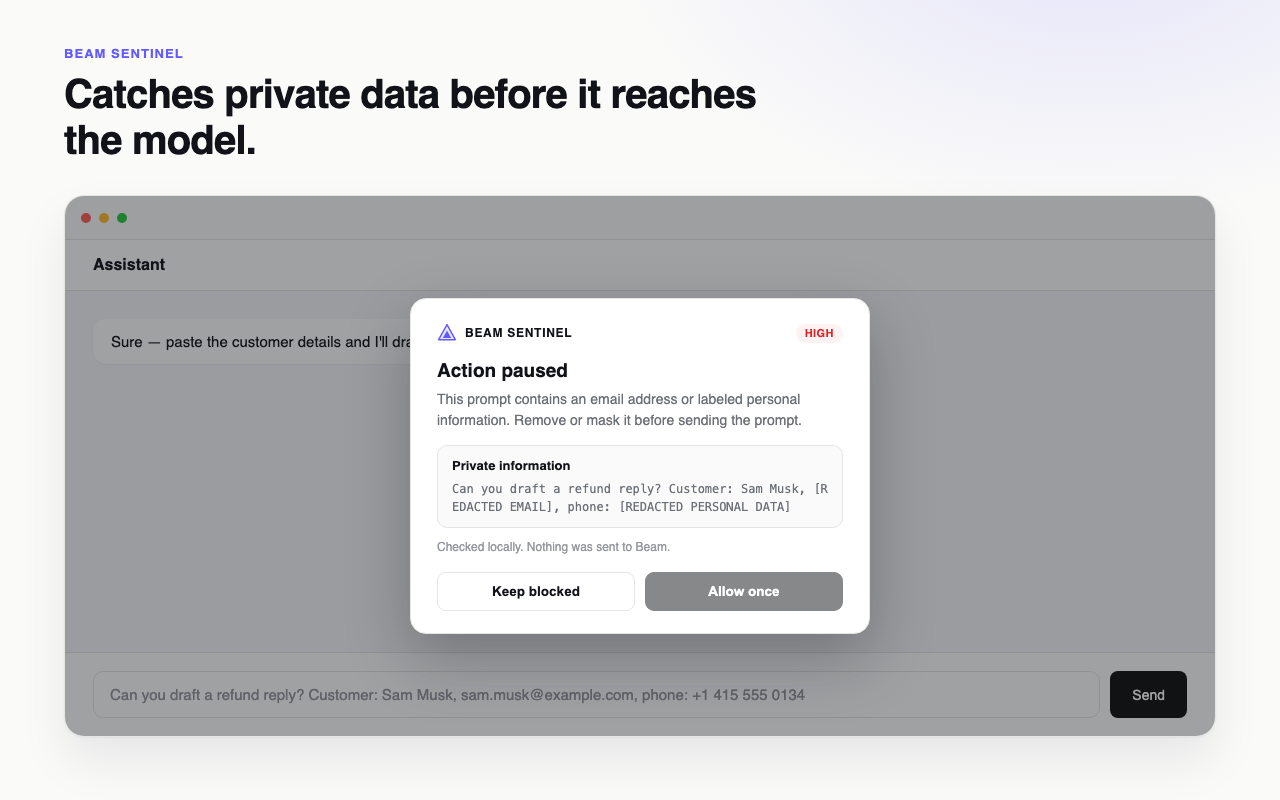
When a high or critical match is found, the extension presents Action paused with a redacted preview and the matching finding context. Read the message before choosing:
- Keep blocked to leave the submission paused and return to editing.
- Allow once to allow the matching content through the immediate retry flow.
The allow-once exception is tied to a content fingerprint and a short five-second window. It is not a permanent domain allowlist or an instruction to disable protection. Changing the content can cause another check.
Inspect automatic redaction
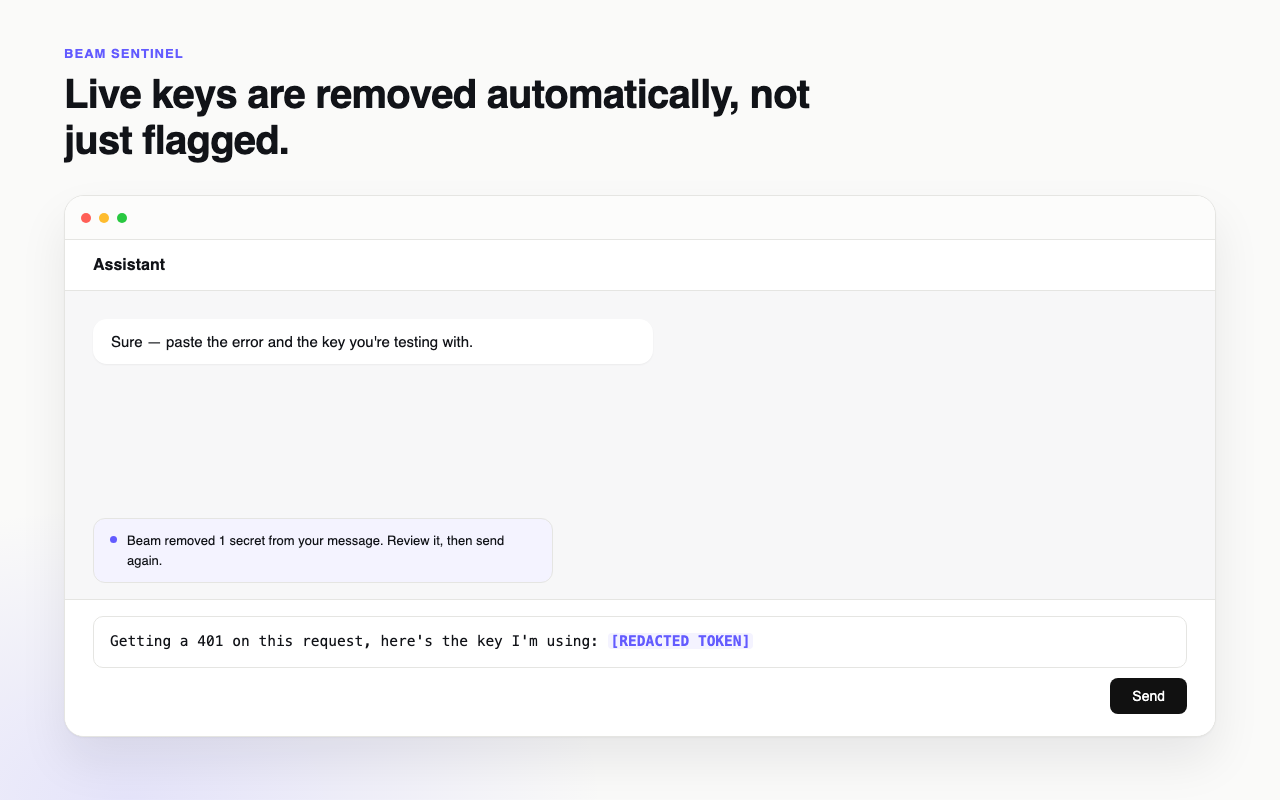
Where the editor can be safely changed, recognized secret text is removed and the send remains held. Review the modified composer before sending again. If the editor cannot be updated safely, the extension falls back to the pause dialog.
Email addresses and labeled private information can trigger a high-severity pause. Do not substitute real credentials into a test prompt to demonstrate detection; use clearly synthetic test material and inspect the resulting behavior locally.
Understand warnings and history
Medium matches are allowed with a short warning. Ordinary messages continue. The popup shows checked, blocked, and warning counts from retained local decisions; redaction decisions count as blocked because submission was held.
Only the latest 100 decisions are retained. Each stores redacted preview context, not the entire raw editor buffer. Clear resets that stored history; it does not erase the assistant provider's conversation or undo any action already taken.
Diagnose a missing pause
Confirm protection is on, the site matches the manifest, and Chrome grants site access. Reload the page after extension installation or update. Check the actual input surface: unsupported iframes, custom editors, programmatic sends, and site changes may bypass the recognized hooks.
If a message was already submitted, handle it through the destination provider and your incident process. Browser interception cannot retract data that has already left the composer.